AI Alignment Liaison
Designing a human–AI workflow that transforms subjective values into structured, testable systems for more reliable and accountable AI decisions.
Role
UX / Product Designer + Front-end Implementation
Timeline
In development
Team
Founder, PM, 2 Engineers, Chief of Staff
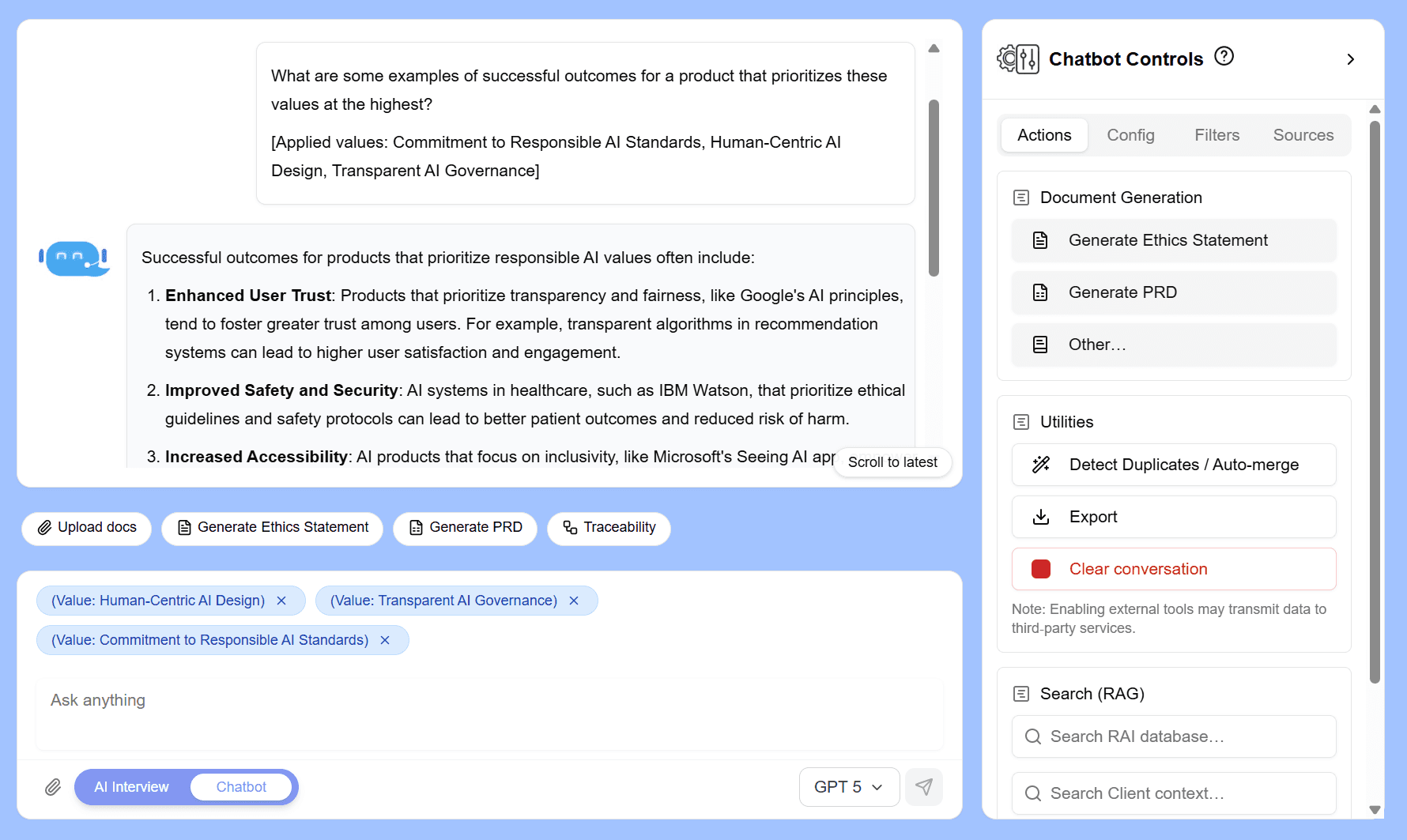
Project Overview
AI Alignment Liaison is an early-stage AI product designed to help organizations define their values and translate them into structured frameworks that can guide and evaluate AI behavior.
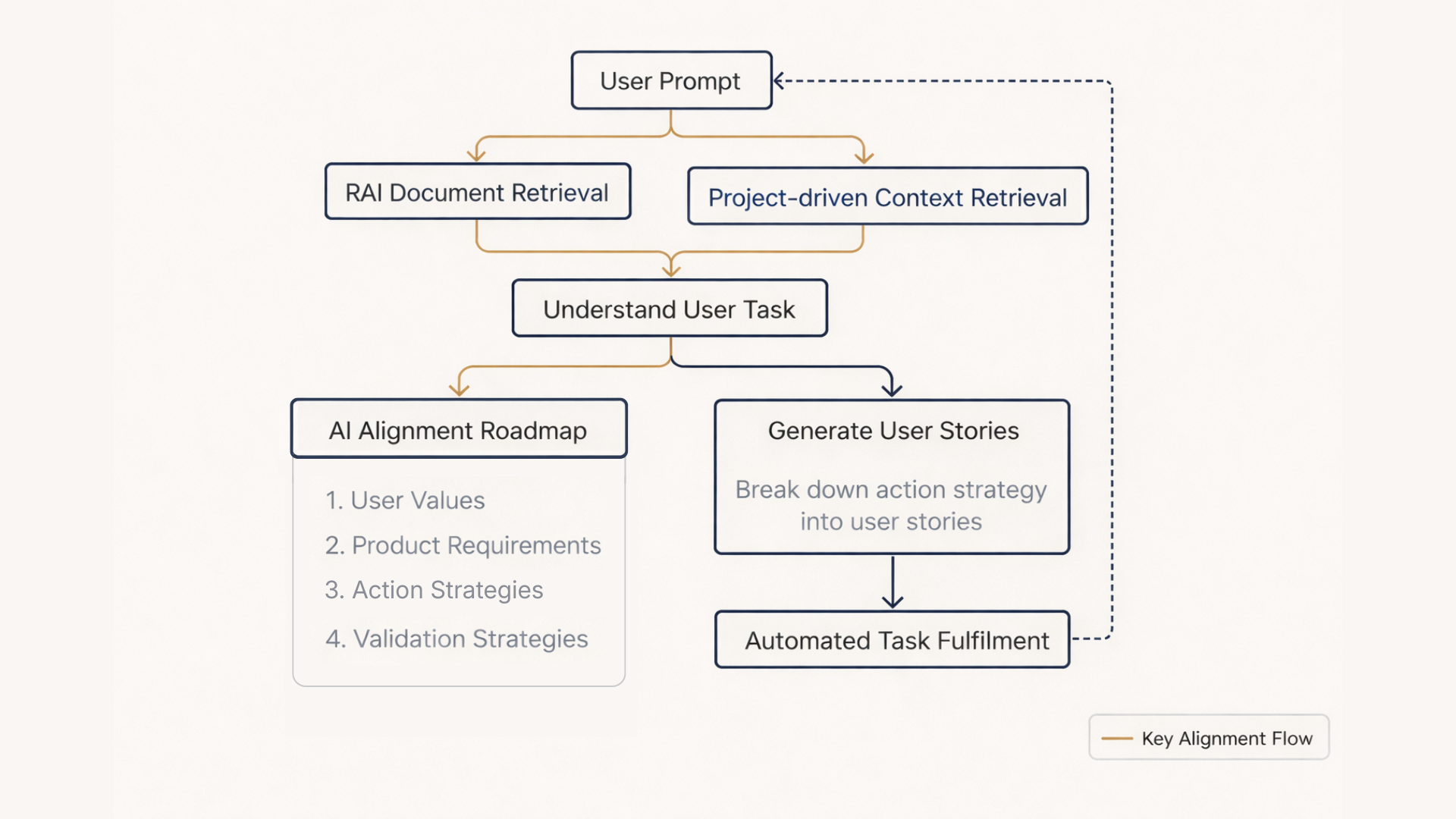
As the sole UX designer on the team, I designed the onboarding flow, chatbot interaction model, and values management system while implementing the front-end prototype using Cursor.
Challenge: Bridge abstract human values to testable AI alignment without established UX patterns.
Result: From conceptual idea to testable prototype with validated UX decisions and real-time value injection.
The Problem
Organizations often struggle to clearly articulate the values they want their AI systems to follow.
Even when values are defined, they are rarely structured in ways that can guide AI behavior or evaluate AI outputs.
Designing this product required creating workflows that help users:
- express values clearly
- organize those values into a usable system
- translate those values into structured evaluation criteria
Without this, AI systems risk misalignment, ethical gaps, and reduced trustworthiness.
My Role
I owned the entire user experience and front-end interface for the prototype.
Responsibilities included:
- designing the onboarding experience
- designing AI chatbot interaction flows
- defining the values framework information architecture
- designing the values dashboard
- implementing front-end UI using Cursor
- collaborating with the founder and engineers on product direction
Constraints
- Early-stage product with evolving requirements
- No established UX patterns for translating values into AI evaluation systems
- Small cross-functional team
- Rapid iteration while the concept was still forming
Strategy
I approached the problem by designing a deliberate, three-stage workflow that bridges abstract human values to concrete, testable AI alignment criteria, turning subjective intent into structured, auditable inputs.
The experience is organized around three interconnected stages:
-
Conversational value discovery
Through onboarding questions, an AI-guided interview, and an AI chatbot, users articulate their project details and raw values in natural language, which lowers the barrier to entry for non-technical stakeholders. -
Structured value organization
Values are extracted, grouped into categories, prioritized, and refined on the dashboard, creating a clear hierarchy and usage analytics that reveal how values influence product requirements. -
Applying values to AI evaluation
Users inject selected values directly into the chatbot for real-time, context-aware guidance and validation, closing the loop from expression to actionable AI behavior testing.
This staged approach balanced accessibility, rigor, and iteration, enabling the team to move quickly from conceptual discussions to a testable prototype while maintaining alignment with enterprise-grade accountability needs.
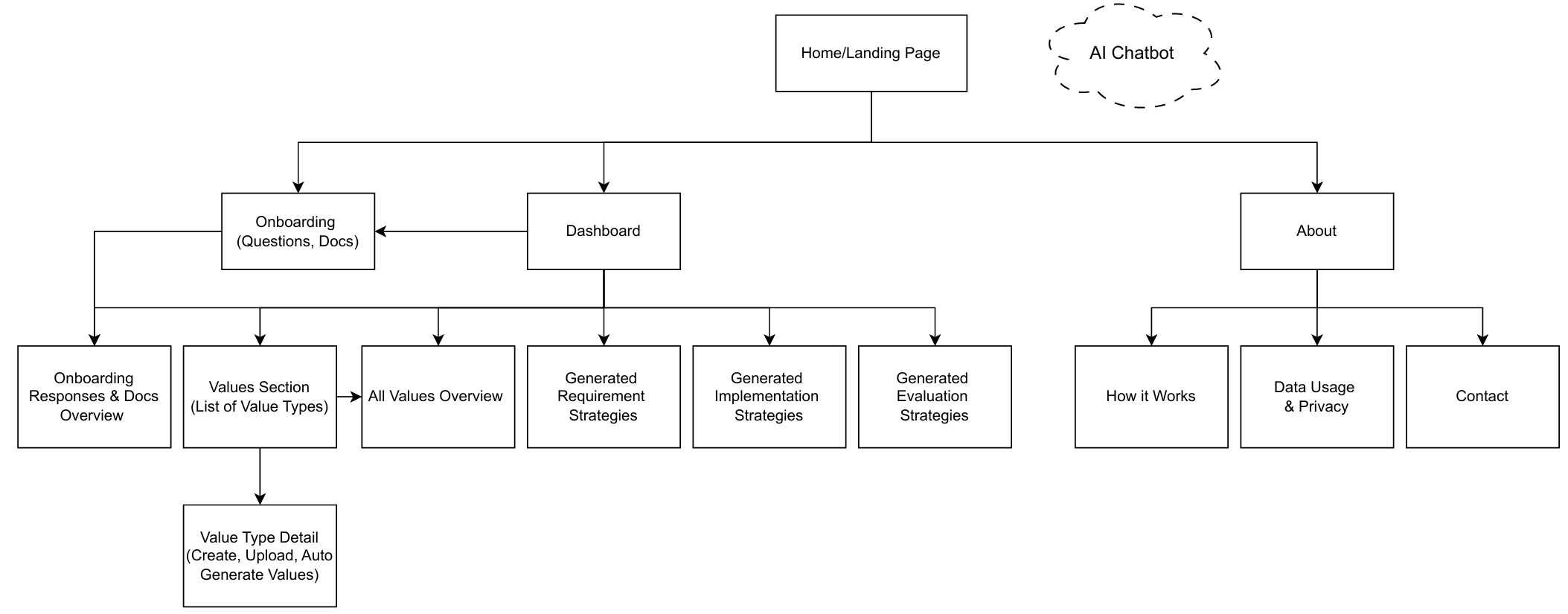
High-level site map showing how the workflow is distributed across the product experience.
Solution
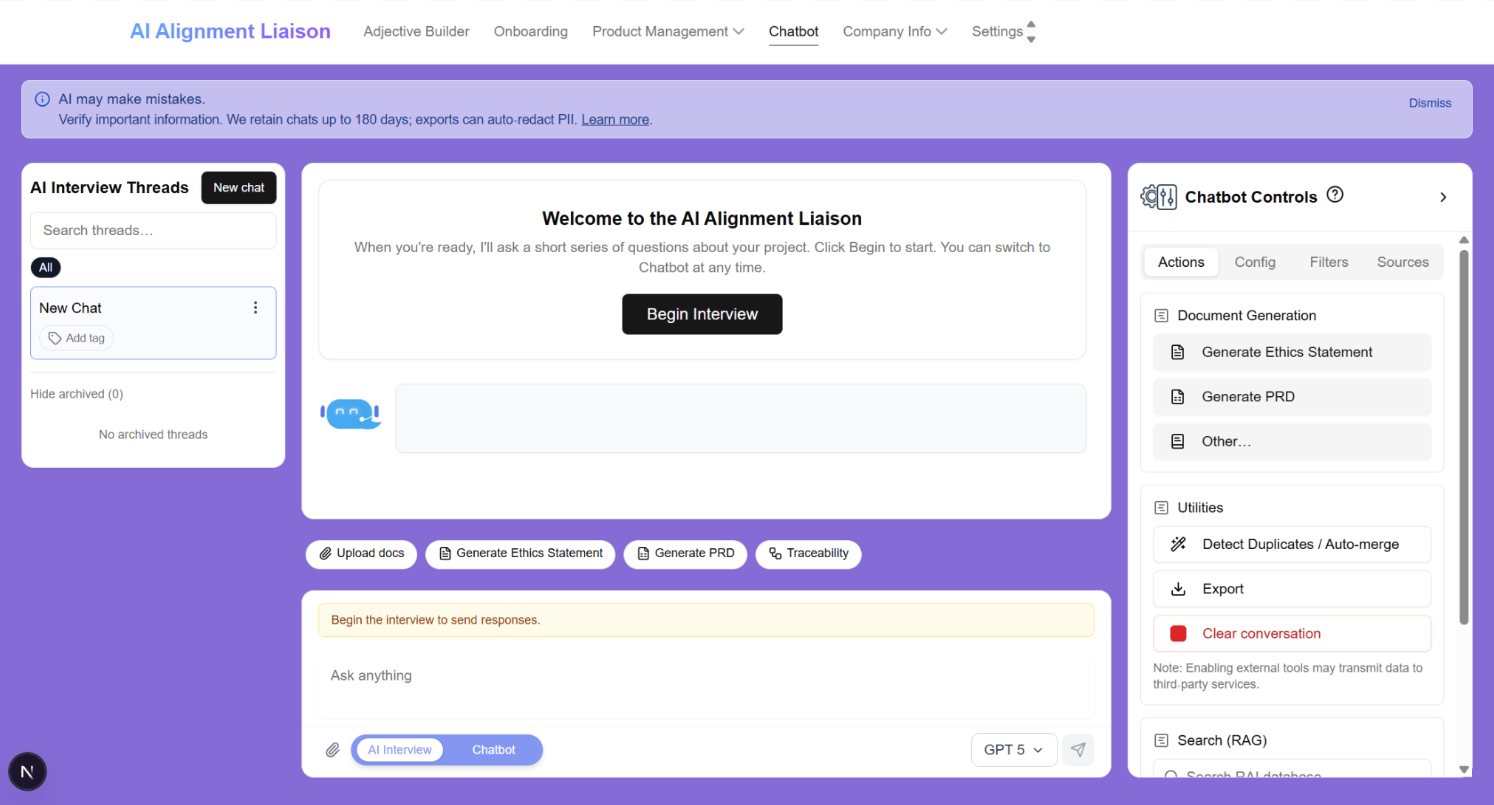
Conversational Onboarding
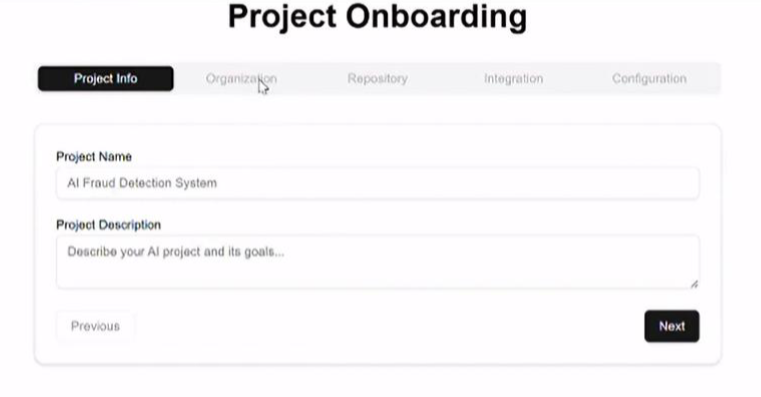
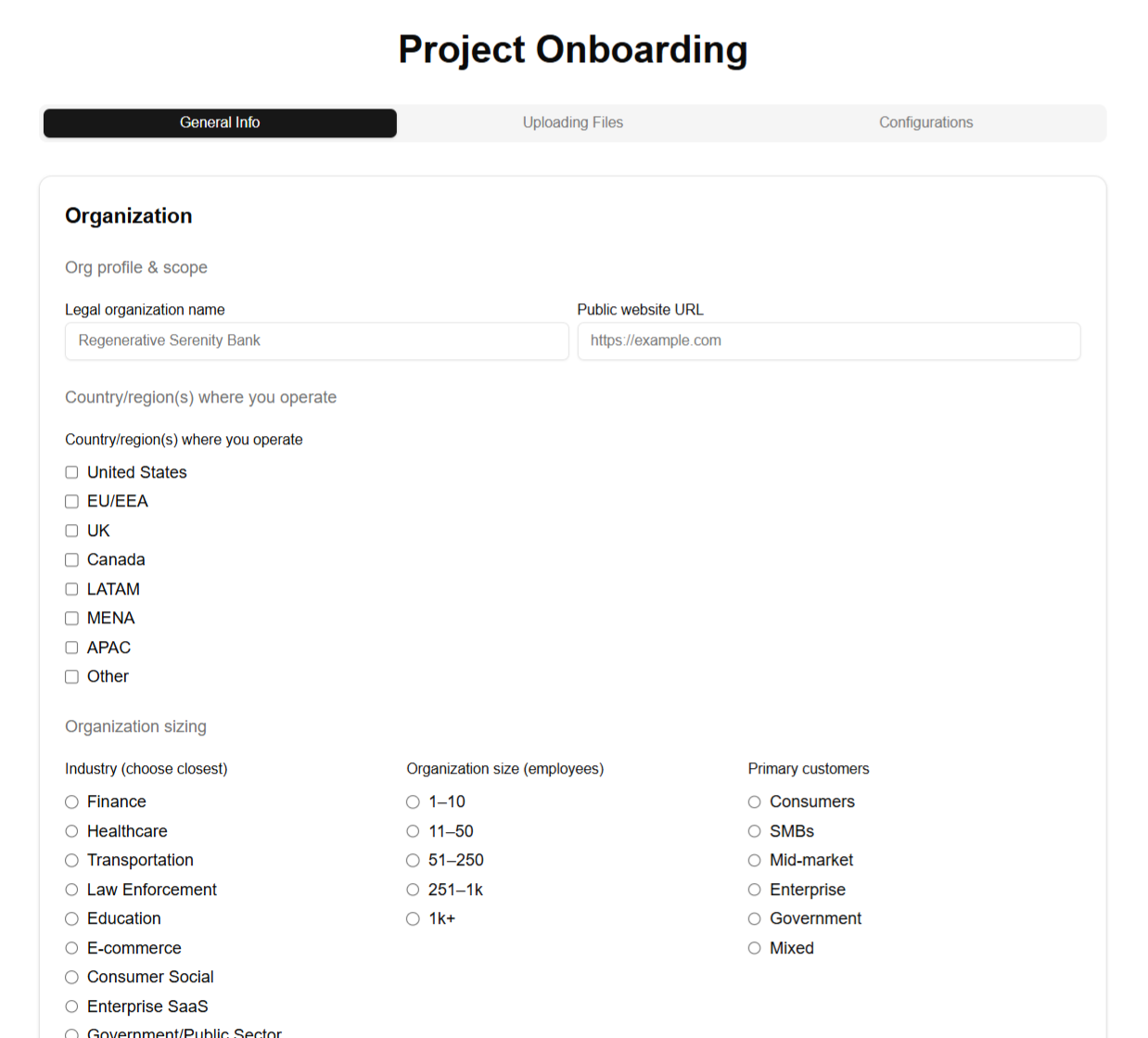
After filling out a basic Onboarding Form, users begin to interacting with a chatbot that prompts them to dive deeper into their goals, expectations, and values in natural language, mostly stemming from the answers provided within the Form.
This lowers the barrier to expressing complex ethical concepts and allows the AI to grasp nuance details about the user's project prior to even generating and managing values.
Values Dashboard
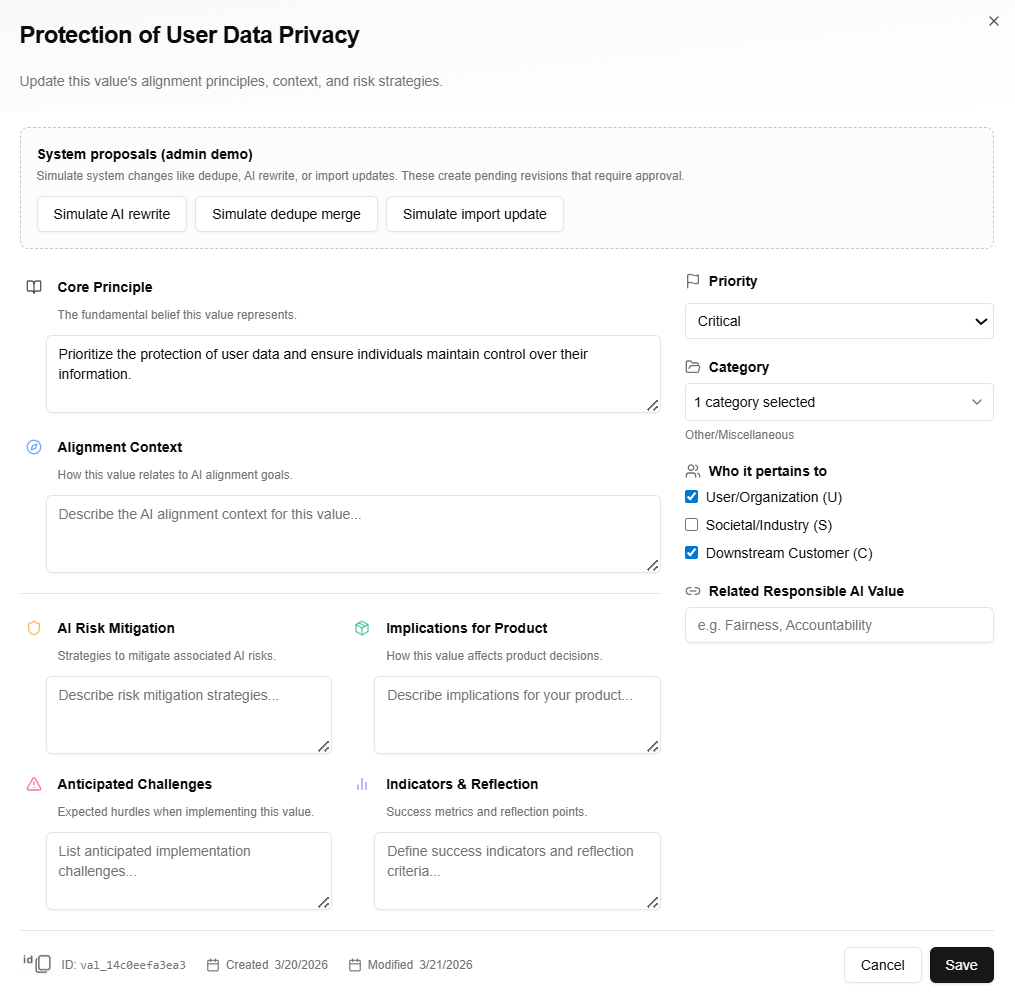
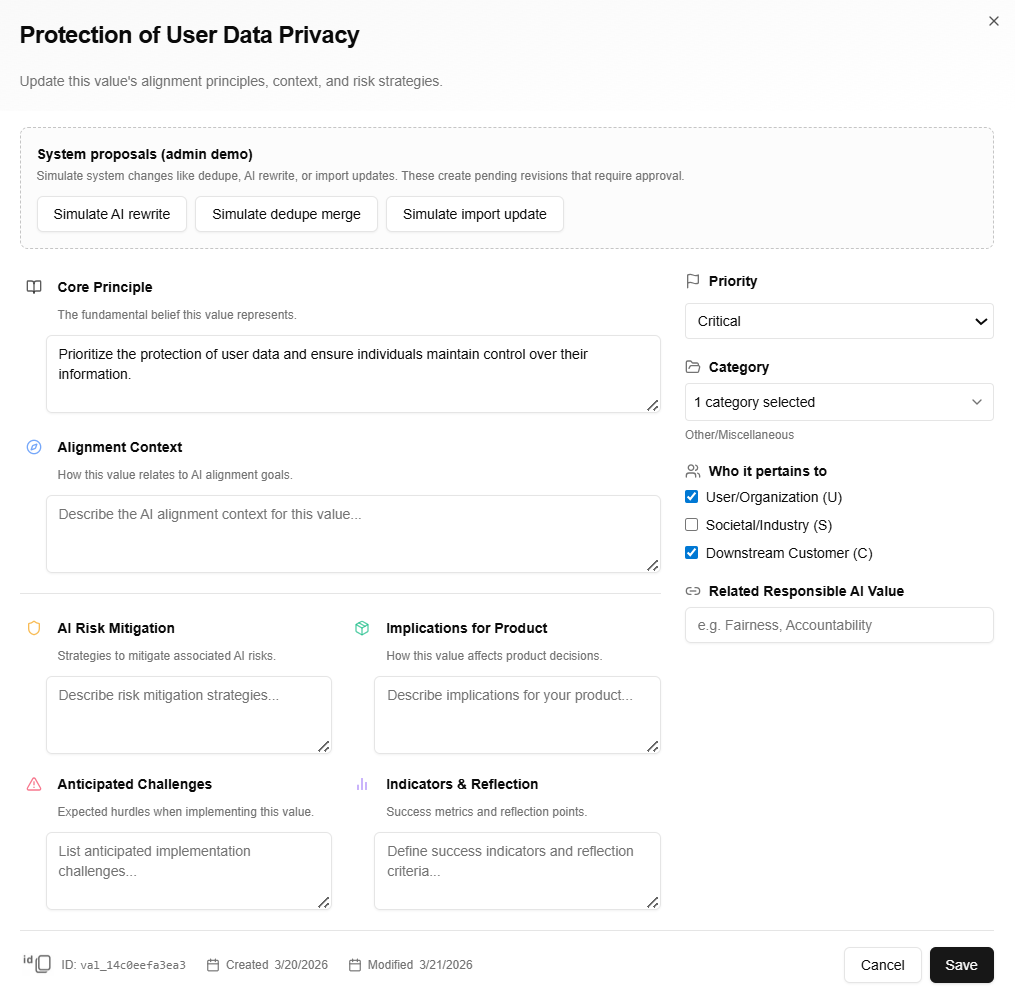
The Values Dashboard serves as the central workspace for reviewing and managing all extracted values at once. Users can:
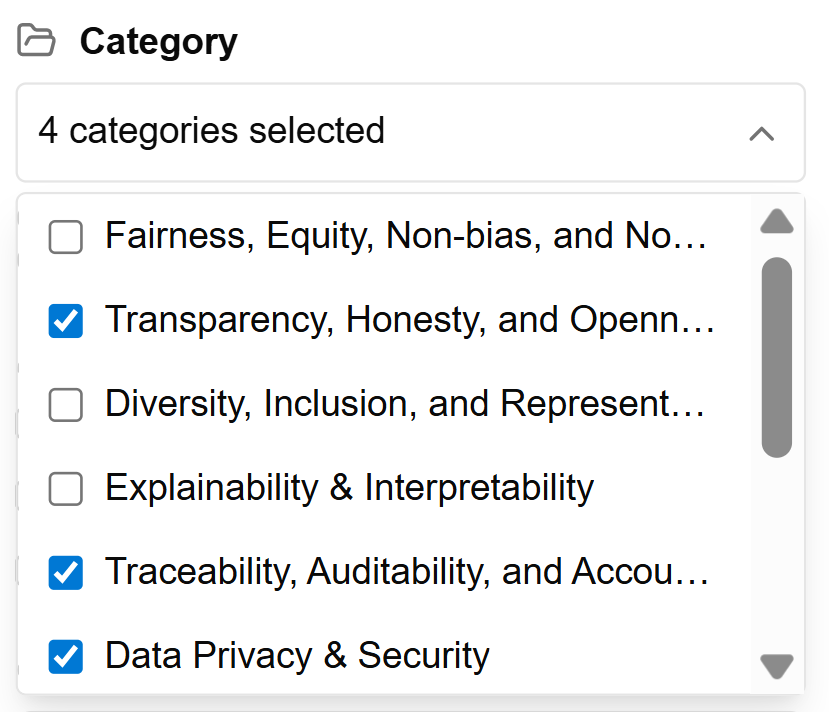
- Filter and search across the full set
- Bulk edit definitions and assignments
- Create new values
- Export the entire library
- Select individual or multiple values and directly drop them into the chatbot for immediate, personalized AI interactions
This is the high-density, overview-first surface.
Structuring Values for AI Evaluation
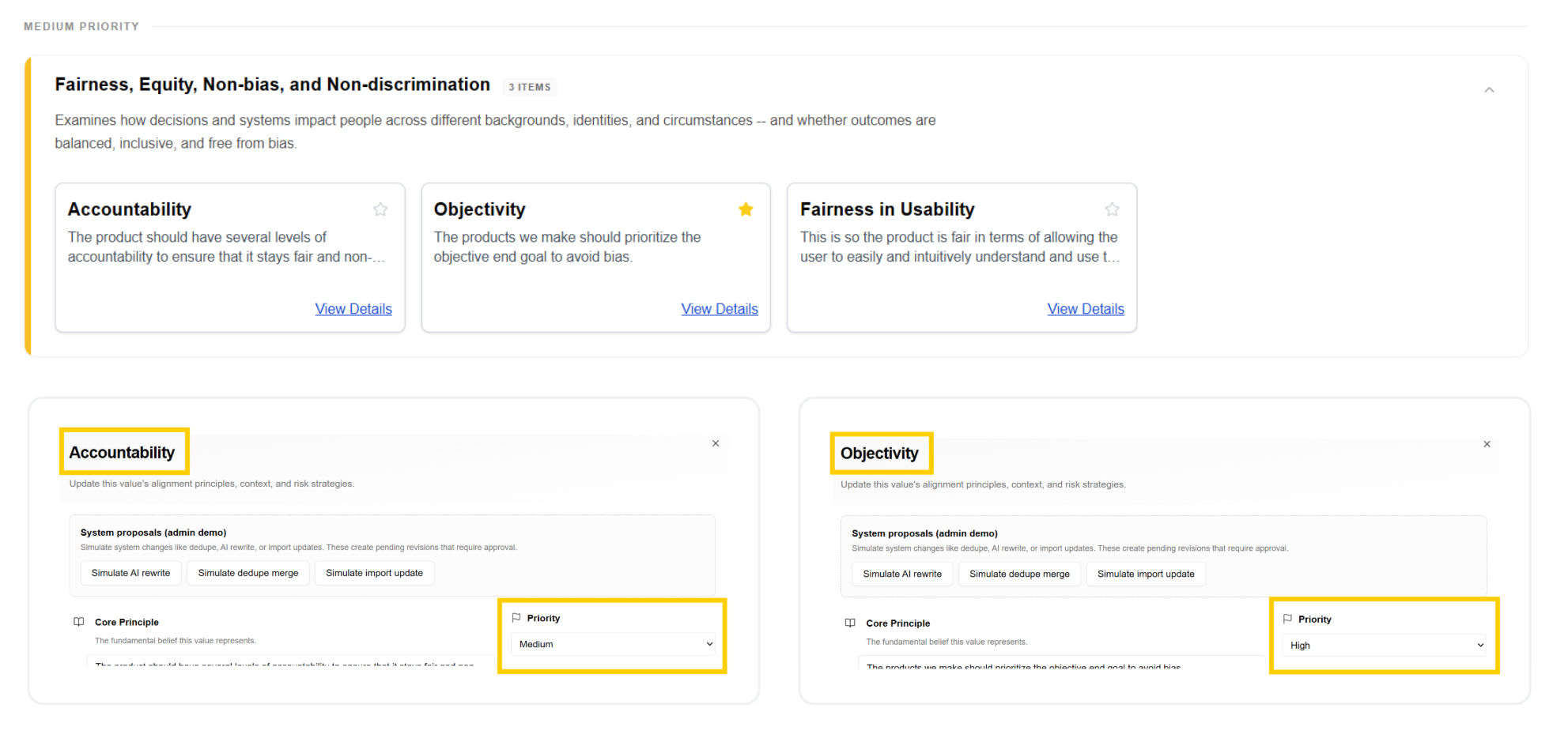
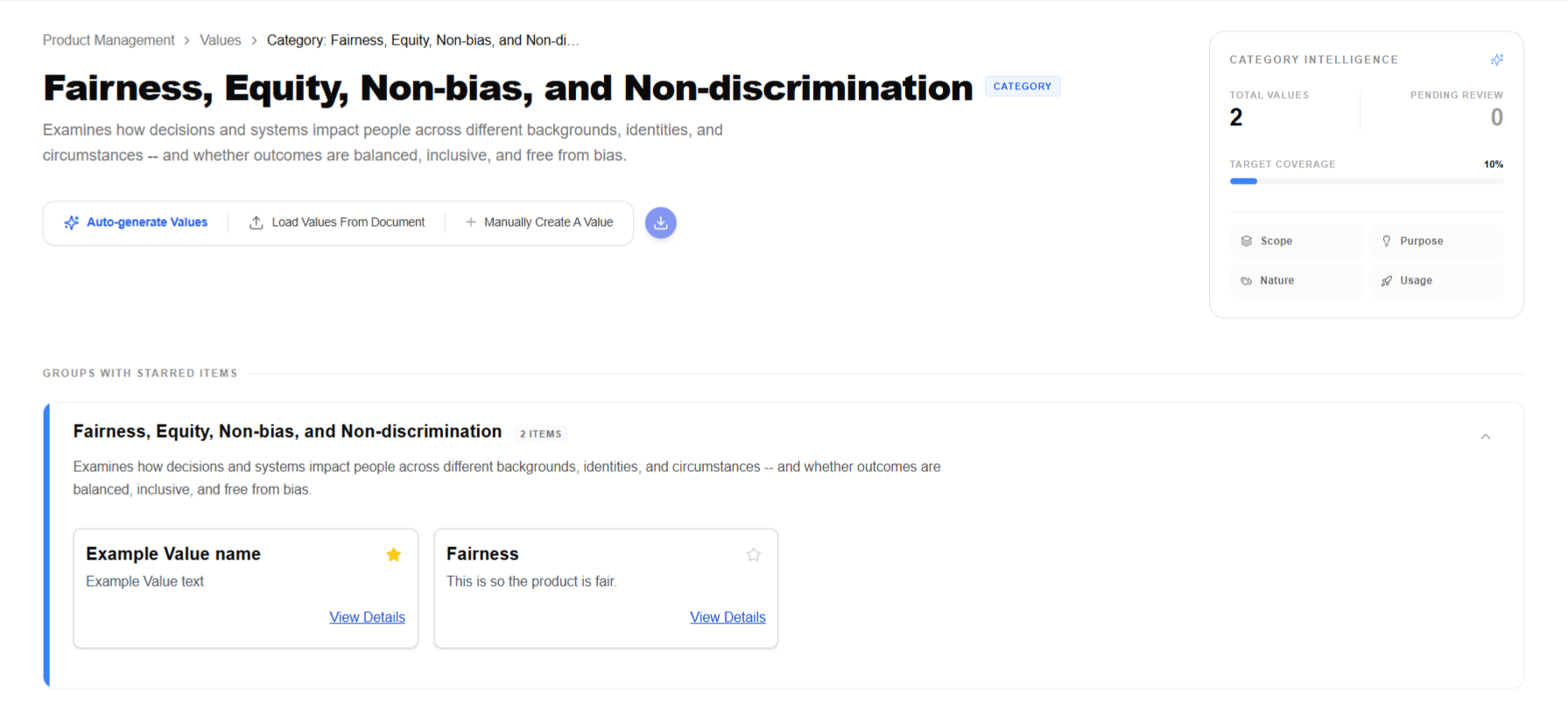
To turn raw values into reliable, testable principles that guide AI behavior, users switch to the category-organized view. Here they can:
- Enable/disable entire categories
- Create new categories and re-assign values
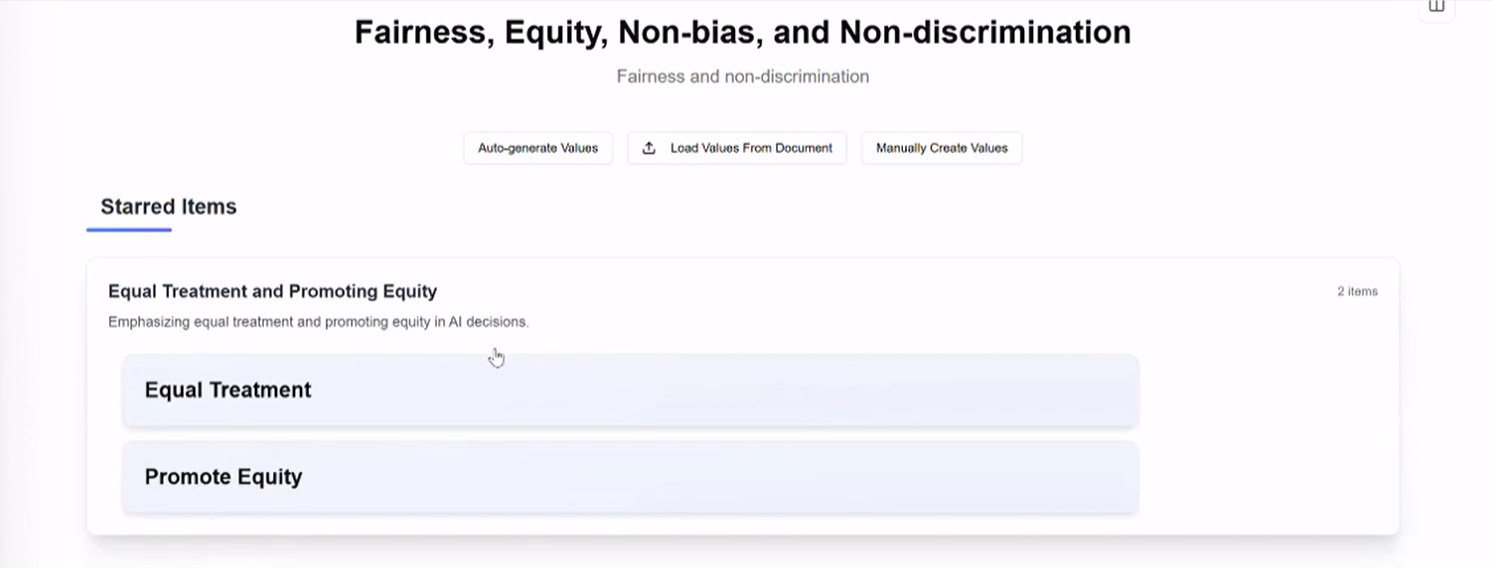
- Drill into a Specific Category page, where they see:
- Grouped value clusters (to reveal priorities within the category)
- Usage analytics (how heavily this category influences current product requirements)
- Refinement tools to adjust definitions and weights
- Select values from within a category and drop them into the chatbot for focused, context-rich evaluation or generation
This is the structured, hierarchical refinement flow that bridges raw values → AI-guiding principles.
Interactive Chatbot Experience
The chatbot serves as the dynamic bridge between structured values and live AI behavior evaluation.
Users can:
- Select one or more values (from the dashboard or category view) and add them directly into the conversation
- Prompt the AI with context-specific questions (e.g., "How does this align with our fairness principles?" or "Generate test cases respecting non-discrimination values")
- Receive structured, traceable responses that reference the injected values, explain reasoning, and flag potential misalignments
This turns passive value documentation into an active, iterative evaluation tool, enabling faster alignment checks, clearer decision-making, and more accountable AI outputs.
Key improvements I drove:
- Direct cross-feature implementation (to prevent context loss)
- Value-aware prompting that preserves hierarchy and priorities
- Transparent response formatting (e.g., status/thinking pills, confidence scores, suggested refinements)
- Intuitive chatbot UI with personalized features and complimentary chatbot UI tour
Key Interaction Decisions
Here are three critical design decisions I made that significantly improved the usability, accuracy, and scalability of the AI Alignment Liaison tool:
Before → After
Before
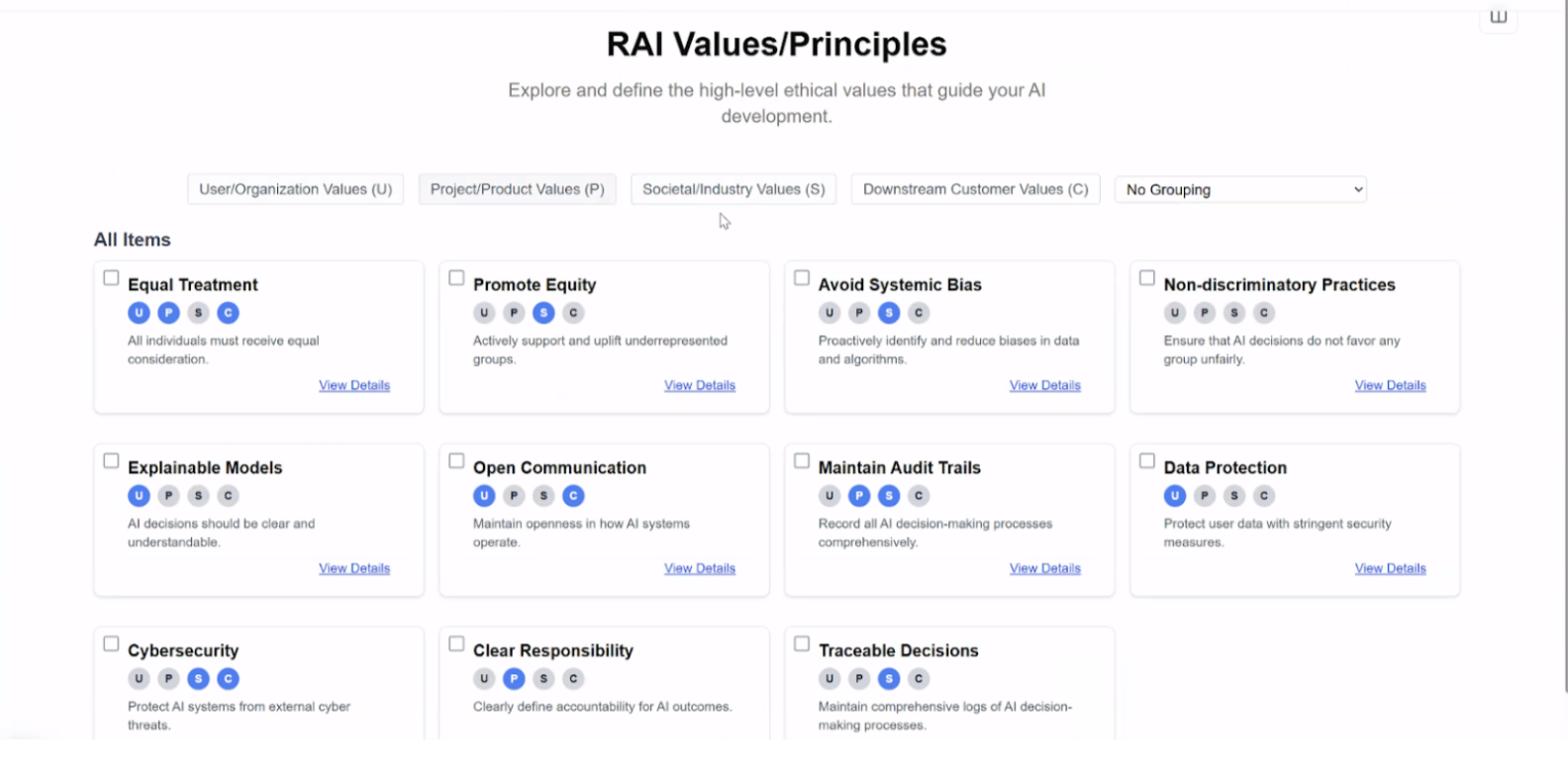
The founder’s initial frontend implemented the core concept, but values appeared as scattered lists with inconsistent formatting, confusing navigation between views, and no clear connection to product requirements or AI-implemented interactions and deliverables. Key interactions (such as using values in real-time) were either missing or cumbersome.
After
Values are now presented in a clean, professional interface with intuitive toggles between Individual and Category views, smart grouping, usage analytics, and direct cross-feature handoff into the chatbot. This turns raw values into structured, testable principles that guide AI behavior with clarity, speed, and accountability.
01. Value Hierarchy & Grouping
02. Information Density & Clarity
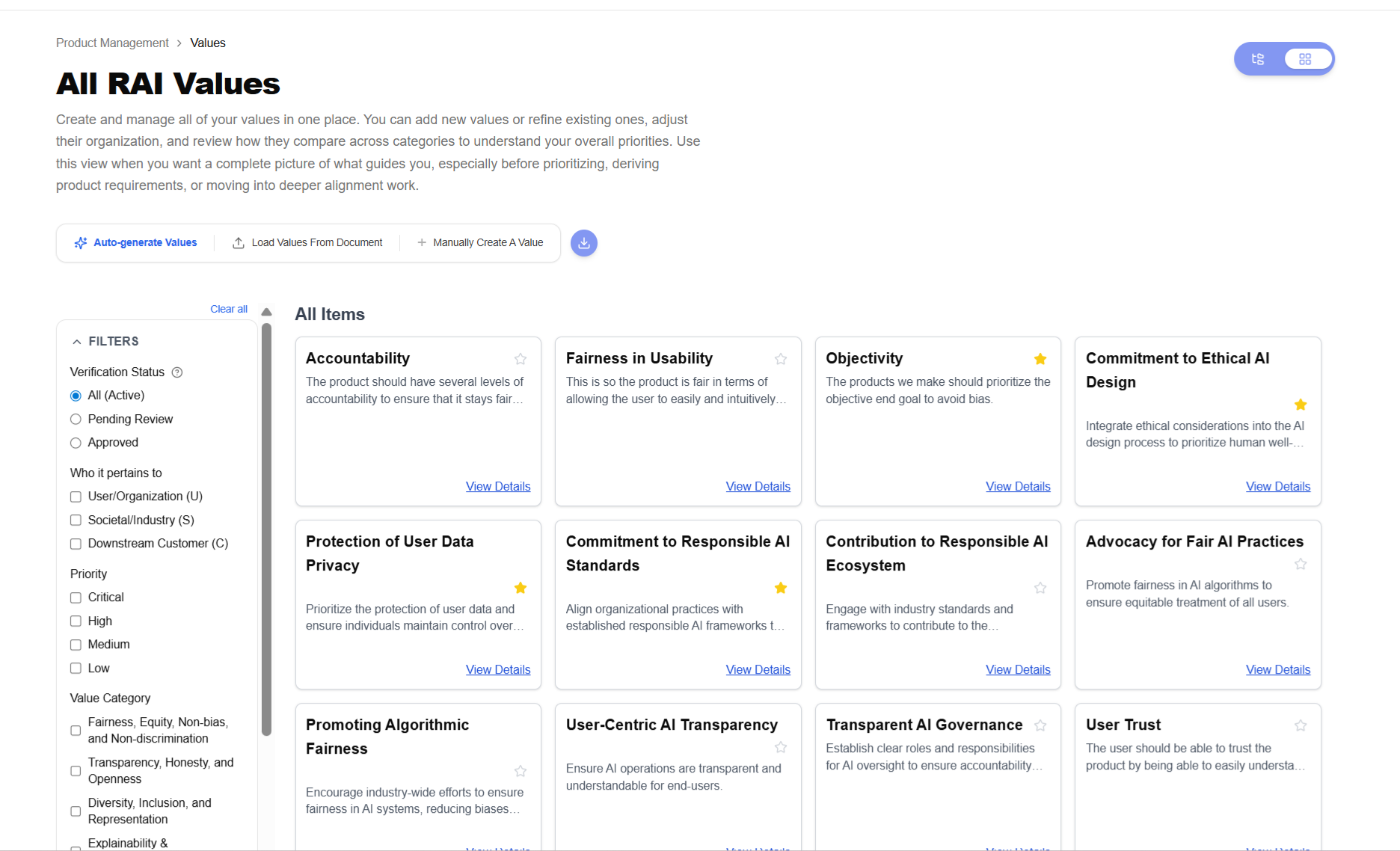
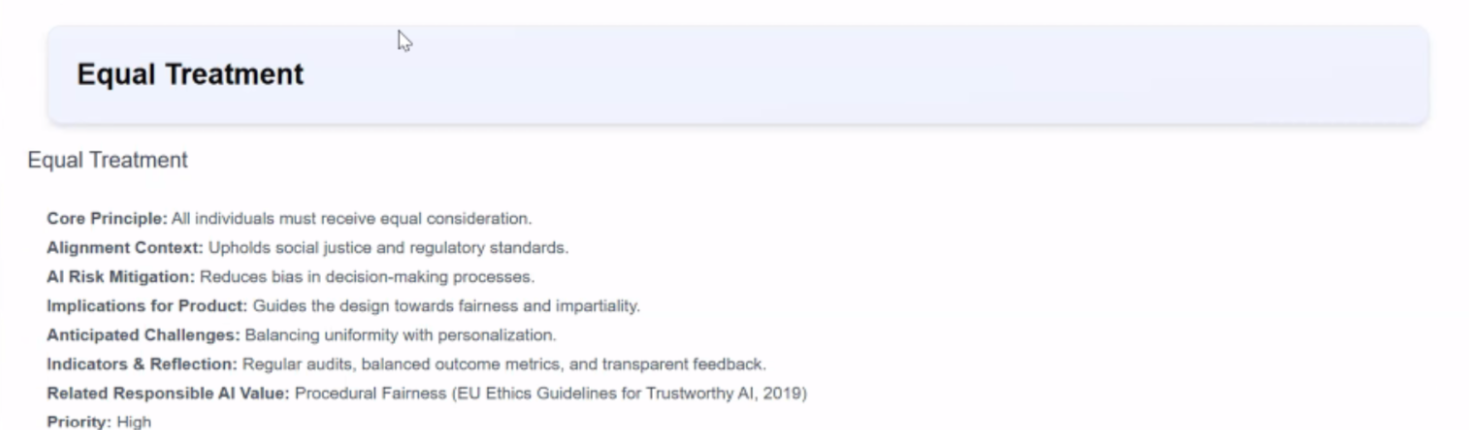
03. Modal Interaction & Context
04. Onboarding Workflow
Outcome
The functional prototype established a complete end-to-end workflow for translating subjective human values into structured, testable AI alignment inputs — a core capability that previously existed only as an abstract idea. Early internal testing with team members (including backend engineers, PM, and founder) validated key UX decisions:
- The onboarding flow successfully bridged abstract concepts to concrete product mechanics, with testers reporting clearer understanding of how project details translate into tangible values and AI guidance.
- Direct value injection into the chatbot enabled rapid, context-aware evaluation sessions that surfaced alignment gaps more effectively than manual methods.
- Presenting the percentage of values within a category that are implemented in product requirements help clearly connect value interactions to tangible deliverables and future product initiatives.
These interactions confirmed the system's viability and surfaced actionable refinement opportunities for the next iteration. The prototype now serves as a tangible foundation for upcoming concept and usability testing with broader stakeholders.
By leading all UX/UI decisions and implementing the frontend via Cursor, I helped evolve the project from conceptual sketches to a testable, interactive system that the team can now validate and iterate on with confidence.
Reflection
Designing for AI alignment required translating abstract ethical ideas into concrete interaction models.
This project reinforced several key lessons:
- conversational interfaces can lower the barrier to articulating complex ideas
- structured systems are necessary to make values actionable in AI contexts
- early-stage AI products often require designers to shape both the product concept and the interaction model
This experience has prepared me to lead UX in early-stage AI products, where ambiguity and rapid iteration are the norm.